
Change your perspective.
“Show this chart in the Orrery.”
Move between the wheel, aspect grid, Dial and Orrery without searching through view controls.

Hypergate AI for Mac
Your native astrology studio. Calculate, compare, explore—and bring AERA into the conversation.
Own your Mac studio$249 lifetime · macOS 26+ · Apple silicon + Intel
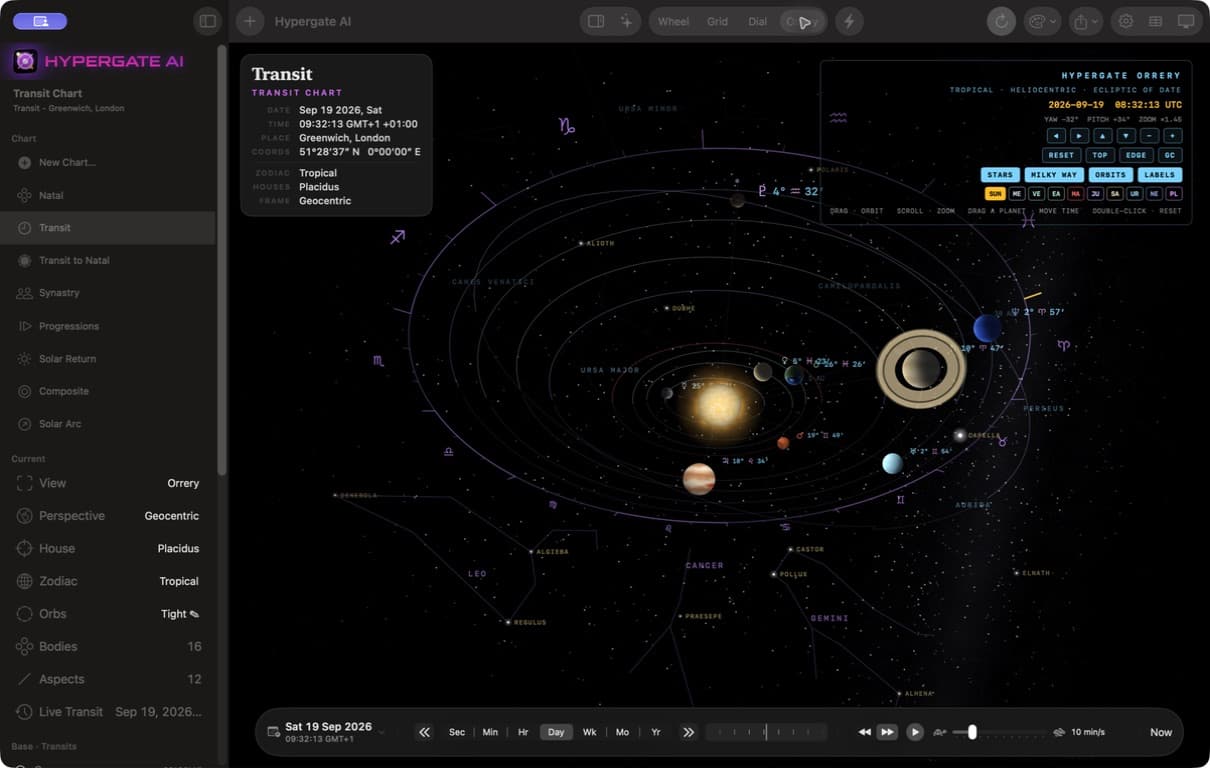
The native Orrery
Move from the chart wheel into the solar system. Explore the planets, change your perspective, and follow time in the native Orrery.
Explore the Mac studioActual Mac application · full window
AERA × your professional chart workspace
For the first time in Hypergate, AI and the native Mac chart workspace come together to do more than talk about astrology. AERA can operate the chart beside you.
Choose a view. Give it a date. Set the planets in motion. Spend less time reaching for controls and more time following the sky. No typing is required for supported voice commands.
How voice control works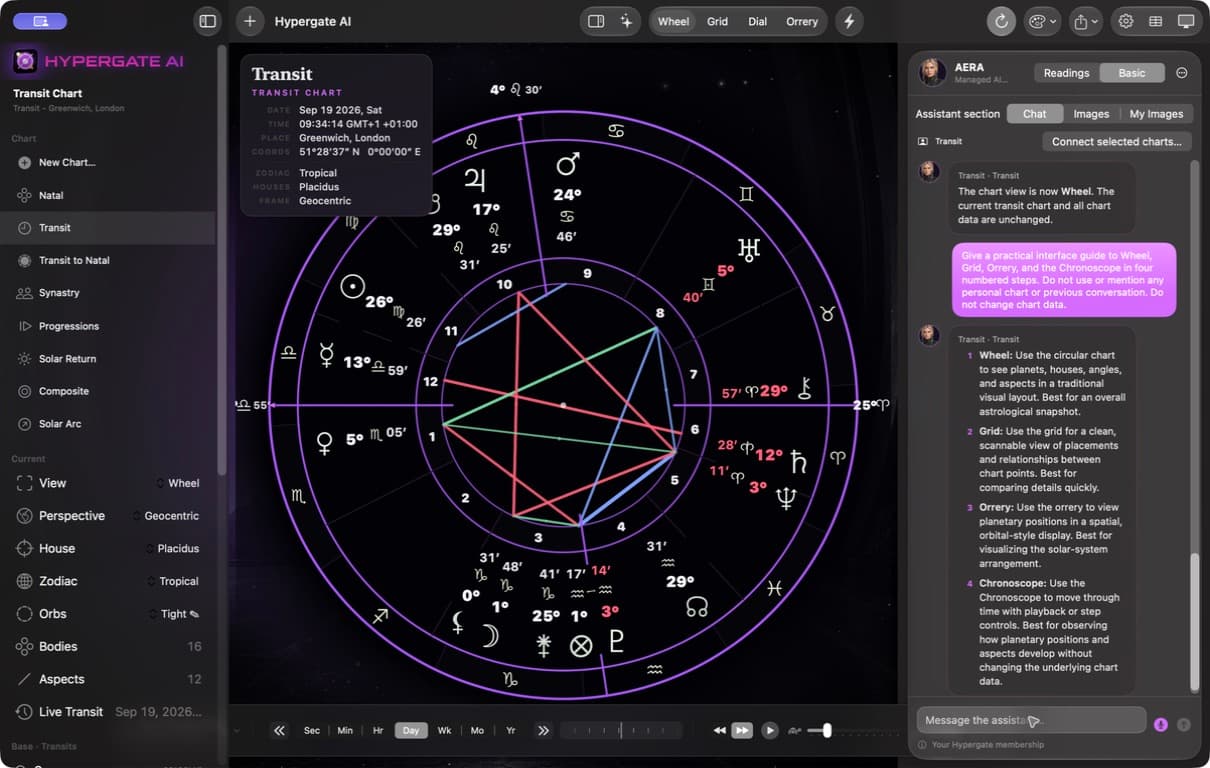
“Show this chart in the Orrery.”
Move between the wheel, aspect grid, Dial and Orrery without searching through view controls.
“Set the date to September 23, 2026 at noon UTC.”
Tell AERA an exact date and time. Set the chart's moment without typing into date fields.
“Play the Chronoscope forward.”
Start, pause or step the chart through time. Ask for a playback rate in a separate request.
“Make the Sun cyan.”
Direct supported body colors, chart views, house systems and other display controls in plain language.
Speak instead of type
In AERA, tap the microphone, speak one chart command, then tap again to send. Allow microphone and speech-recognition access when macOS asks. This is tap-to-dictate chart control, not an always-listening voice assistant.
AERA applies supported changes to the actual workspace. Undo the last applied AERA change before making another workspace change. Basic chart control does not upload the birth record; personal readings require an explicitly connected chart.
Managed AERA requires an eligible Hypergate AI membership and internet access. One chart command per request. Create saved natal charts with New Chart, or ask AERA to create and save one with a name, local birth date and time, and birthplace. Review the chart after it is applied.
Make it your Mac studioInside the Mac app
The whole Mac app—not just the chart. Explore real application-window screenshots.
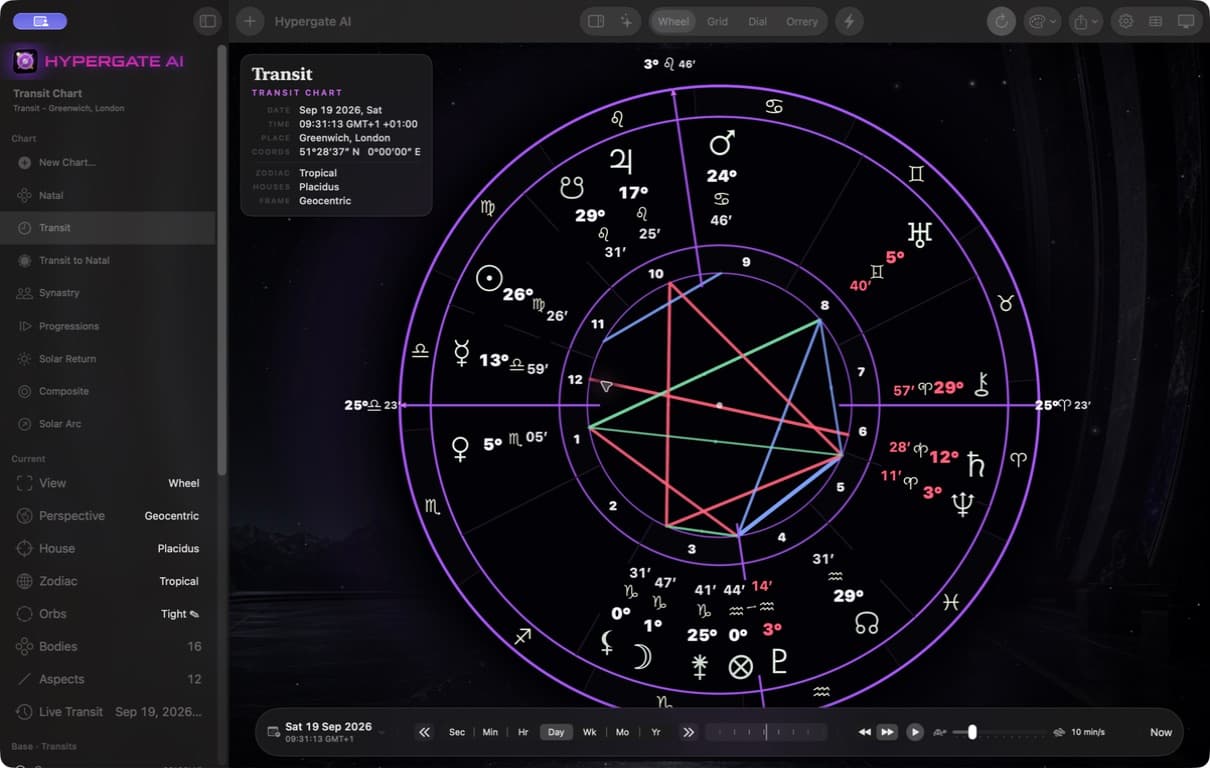
The complete Mac workspace: sidebar, toolbar, chart wheel, and Chronoscope. This public transit example was calculated locally with Swiss Ephemeris.
Natal charts, transits, progressions, returns, synastry and composite work. Local Swiss Ephemeris calculations do not require an AI membership.
Use the Chronoscope to step backward or forward, scrub the timeline, play at your chosen speed, or jump back to the live sky.
Use your existing Hypergate account for optional AI chat and chart control. Personal readings require an explicitly connected chart. AI membership is sold separately.

The lifetime Mac license
Pay securely with Stripe first. Then create or sign in to Hypergate with your checkout email to download and activate. No account required to pay.
Requires macOS 26 or later on Apple silicon or Intel. The Mac license does not include AI membership or AI usage. Applicable taxes are added at checkout.
On the horizon
These features are not available in the current release. Plans may change; no release dates are announced.
Choose Hypergate for what it does today. This is a look at what we’re planning next.
Tools for organizing a professional astrology practice.
Connect astrology timing with your calendar.
More visual ways to explore your horoscope.
Deeper, immersive ways to experience your horoscope.
Bring selected family-history details into Hypergate charts. Availability is subject to FamilySearch approval.
And much more.
Before you step inside
This is the native Hypergate AI Mac application, built for Apple silicon and Intel Macs running macOS 26+. It is a separate lifetime purchase from the iPhone/iPad app and from an AI membership.
Yes. New Chart opens birth-entry fields for a name, date, time, time zone and location. Synastry compares two people; Transit to Natal compares a natal chart with the moving sky. The native comparison workspace uses a primary chart and one comparison layer, not four simultaneous wheels.
Choose Transit for a standalone sky chart. Choose Transit to Natal when you want the current or selected sky around a person’s natal chart. The Chronoscope provides date and time controls, manual steps, a jog strip and playback.
No for local chart calculations. Yes for managed AERA chat and chart control. Sign in with the same Hypergate account used on the website and iOS. A personal reading requires an explicitly connected chart; Basic chart control does not upload the birth record.
Yes. The Dial offers 360°, 90° and 45° views, a draggable or typed pointer, and midpoint contacts. The built-in Guide covers natal charts, comparisons, transits, chart movement, Chiron visibility and AERA. Start with Guide in the sidebar or Help menu.
After payment is confirmed, download the installer from My Mac License, open it, and drag Hypergate AI to Applications. Sign in inside the app with the same Hypergate account. Your account is your license—there is no serial key to copy. Existing AI members keep their membership and purchase the Mac app separately.
Check your Mac license page for the current download. AERA currently interprets tropical geocentric Placidus or Whole Sign charts; local configurations remain independent. Minor-body date coverage varies. Extreme is experimental, and dense Orrery labels may overlap at some angles.
No. Professional astrology management, calendar integration, visual and immersive horoscopes, and FamilySearch are planned or in development. There are no announced release dates. FamilySearch availability is subject to approval.