

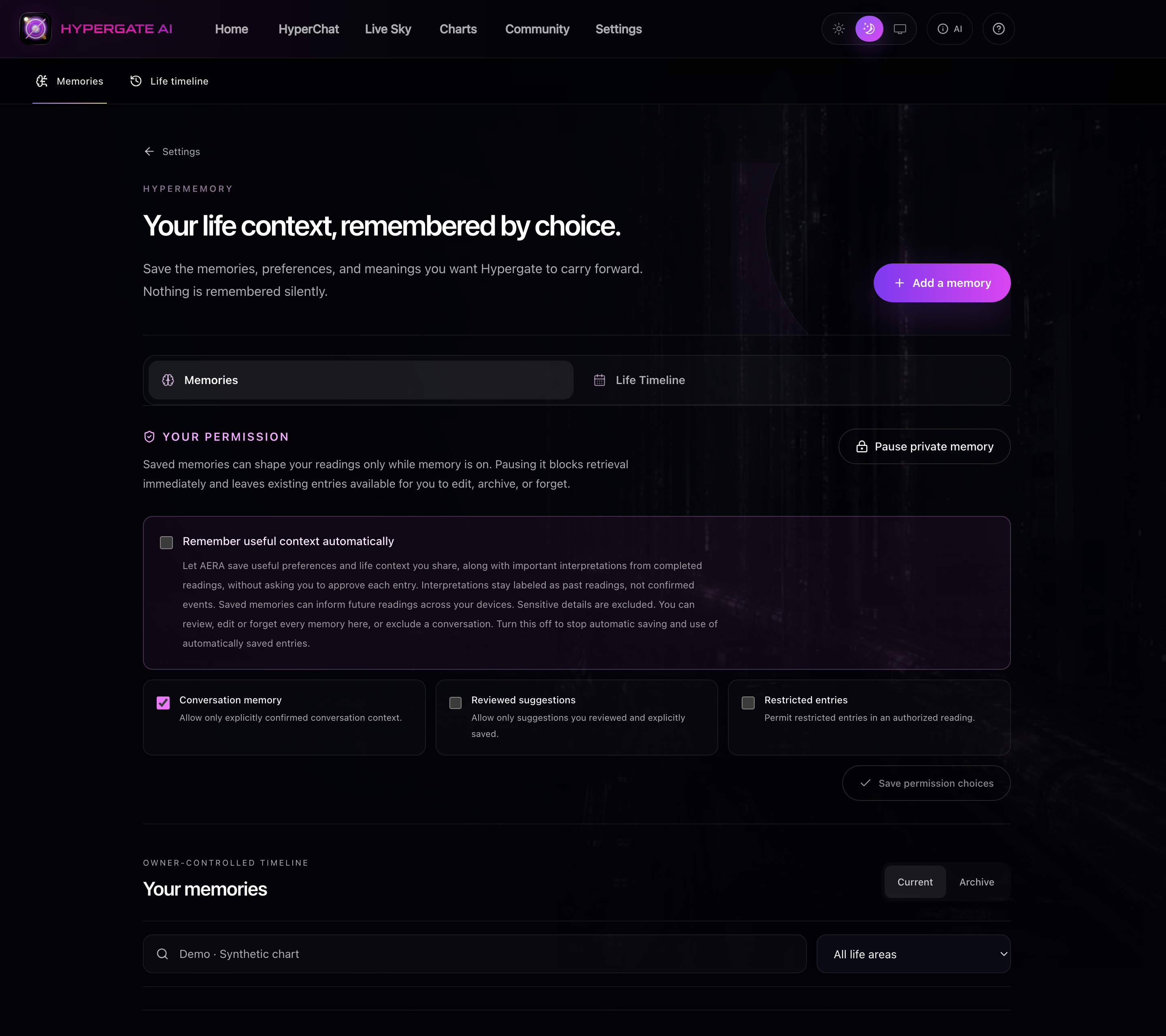
HyperMemory connects the thread of your life to the next conversation. When you choose to enable it, AERA can retrieve relevant saved context alongside your selected chart. A goal, a turning point or something you have already explained can help the next reading begin with a fuller picture.
Keep the context that matters to you.
Your birth chart describes its own astrological structure. It does not contain the details of a conversation you had yesterday or a change you are planning at work. HyperMemory gives you a separate place for useful personal context and the meanings you want to revisit.
Relevant memories can inform a reading when they match the people and subject in the conversation. Memory is not a promise that every past sentence will be recalled, and saved context does not overwrite your chart’s calculated placements.
Choose how memory works.
Turn on private memory from the HyperMemory controls. Optional automatic memory can save useful context from your words and important interpretations from completed AERA readings. Those two kinds of entries remain distinct, so a prediction is not relabeled as an event that happened.
The controls let you review and edit entries, archive them, or forget them. You can exclude a conversation or pause private memory. Turning off automatic memory stops automatic saving and the use of automatically saved entries under that setting.
Private context stays connected to your account.
Memories are private to the account owner and encrypted at rest. HyperMemory checks the current consent and relevant saved people when bringing context into a reading. Your private chart, memory and HyperChat history are separate from what you choose to post to the Community.
A practical habit is to review memory when a situation changes. Update an ongoing goal, archive a chapter you have moved past, or forget a detail you no longer want retained. You remain able to shape the context behind the conversation.